

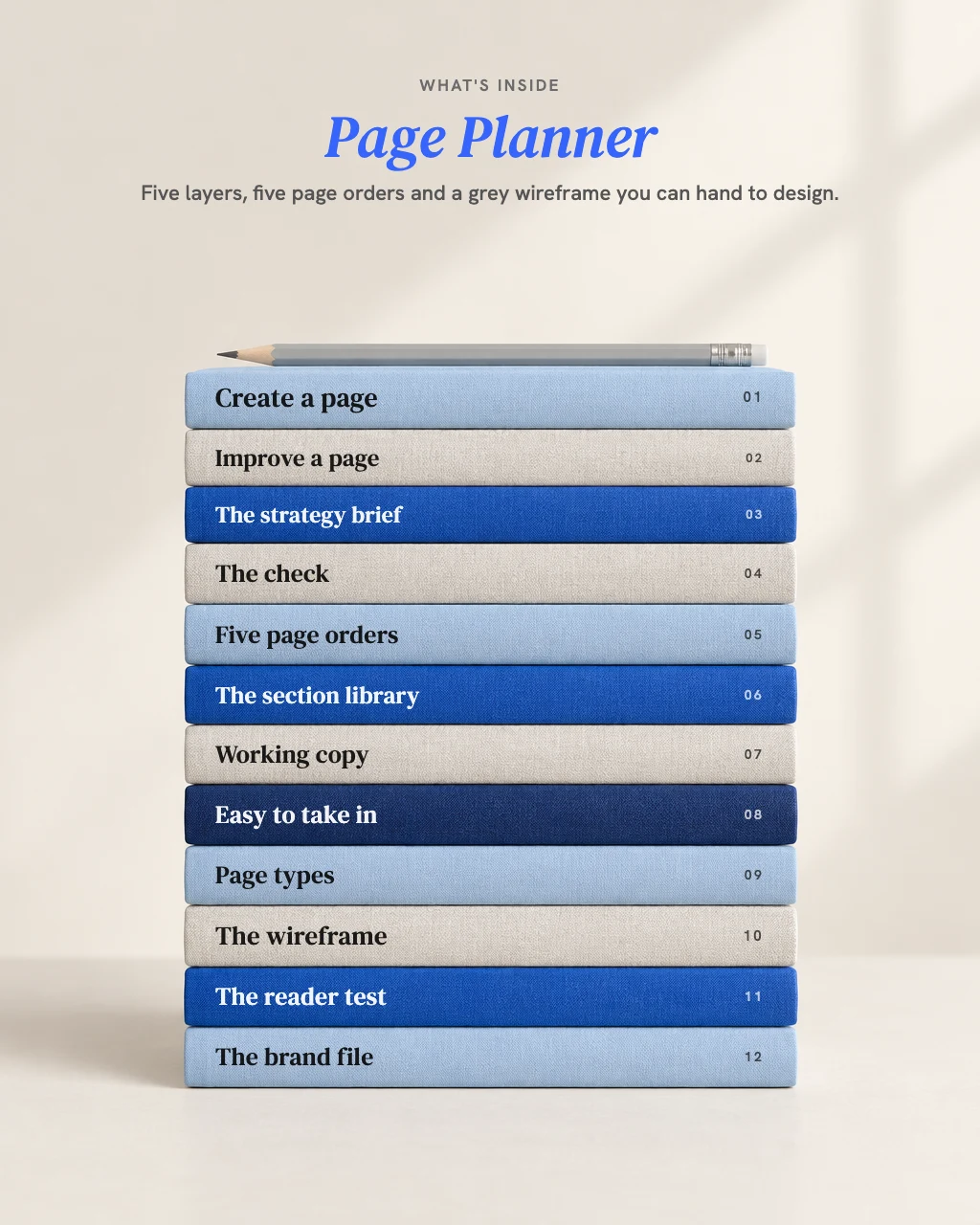
Page Planner
Ask AI for a landing page and you get the page everyone gets: a hero, six features, a testimonial nobody said and three buttons that all say something different. Page Planner installs a working method for planning pages in the AI you already use: it agrees who the page is for and what it promises, checks that promise holds, decides how the page should open, puts the sections in the order that makes the argument, and gives every section one job and the belief it moves.
Not a page template. A page plan built from your visitor, your promise and your proof, with the reason for every section.
- A strategy brief you approve before a single section is planned
- Every section states its job and what the visitor believes before and after
- A grey, annotated wireframe in one HTML file; missing proof marked, never made up
One payment, no subscription.
Your AI agrees who the page is for and what it promises, gives every section one job, and hands you a grey, annotated wireframe with every missing fact marked, never made up.
- A strategy brief you approve before a single section is planned
- Every section states its job and what the visitor believes before and after
- A grey, annotated wireframe in one HTML file; missing proof marked, never made up
- One payment, no subscription
- Download straight after paying, and a copy in your inbox
- Free updates within this version
Payment is handled by Stripe. We never see your card number.
Secure payment by Stripe. Card, Apple Pay or Google Pay. Download straight after.
Every skill on the site in one payment. Seven of them share one brand file, so you explain your business once.
- Brand Strategy
- Brand Naming
- Copywriting
- Content Hooks
- Page Planner
- Proposal Builder
- Project Brief
- UI Guidelines
- You save $213.00 on buying them separately
- One payment, no subscription
- All 8 downloads straight after paying, and a copy in your inbox
- Free updates within each version
Payment is handled by Stripe. We never see your card number.
Need all 8? Get the full set, $249.00 $462.00Black Friday, until 30 November
- Works in Claude, ChatGPT and other AI tools that read skills
- One payment, no subscription
AI can write a landing page. It's the one everyone gets.
Ask AI for a page and you get a hero, six features, a testimonial slot waiting for a quote nobody said, a pricing table and three buttons that all say something different. Every section is there because pages usually have it, not because this page needs it. The writing was never the hard part. The hard part is agreeing who the page is for and what it promises, then putting the sections in the order that makes the argument.
A brief before a single section.
Who the page is for, what it promises, the biggest doubt and the honest answer. Nothing is planned until you approve it.
Every section names its job.
And what the visitor believes arriving and leaving. A section that changes nothing is cut or merged.
Go down your page one section at a time and write what a visitor should believe after it. If two sections say the same thing, or one says nothing, that's the section to fix.
Which one is you?
Founders building or fixing their own pages.
It settles who the page is for and what it promises before you write a line.
Marketers who need a page plan that stands up in front of a boss or client.
Every section comes with its job and the reason it sits where it does.
Designers, developers and agencies.
The thinking is settled before the build, in a grey wireframe you can build from.
Not for you if you want the page designed.
The wireframe is structure in grey. Colour, type and images come from your designer.
Same brief, two answers. A test run, 20 November 2026.
The brief: Pawsome Walks, a dog-walking business in Bristol, needs a page. Group walks of up to 4 dogs, £15 a walk or £65 for 5 walks a week, rolling weekly, cancel with 24 hours' notice. One action: book a free meet-and-greet, after which the owner phones within a day. Visitors: people who work full time in an office and feel guilty leaving their dog alone all day. What only this business does: a photo and a short note after every walk, and the same small group of dogs kept together. Proof: 23 regular clients and one client, Priya, happy to be quoted: "Biscuit sleeps all evening now." Insured. The doubt: "Is my dog safe with other dogs?" The answer: every new dog does a solo walk first. Must include the insurance and the cancellation terms.
The moment that matters.
The plain AI filled in what the owner never said: what happens at the meet-and-greet ("I'll say hello to your dog, you'll ask me anything you like"), and, from one client's words, "their dogs all sleep very well". Page Planner left the meet-and-greet, walk length, collection and the price of the solo walk as marked gaps, and kept Priya's quote as the only result on the page.
Questions asked.
Plain AI: none; it had the whole brief in one message. Page Planner started from one line, "I need a page for my dog-walking business", and asked 20 things in one message, which its own test notes call a lot for a solo owner. Then a brief to approve before any section.
Sections.
The headline.
Plain AI opened on the owner's promise: "A tired, happy dog when you get home." Page Planner wrote eight, opened on "At the office all day? Your dog's out with their mates." and used the promise to close the page.
The doubt.
Both answered it with the solo walk first and the insurance. The plain AI added "If it doesn't, they don't join." Page Planner marked the next thing a visitor will ask, what happens if a group doesn't suit their dog, as a gap for the owner to fill.
Price and terms.
Both showed £15, £65 and 24 hours' notice. The plain AI worked out "that's £13 a walk" and said in its notes to delete it if unwanted. Page Planner used the terms as given and flagged VAT and walk length to confirm before going live.
Honest about guesses.
The plain AI asked the owner to check one line, and said it used only the one quote it was given. It also wrote a dog "waiting by the door" as fact. Page Planner named three assumptions the page rests on, with the sections that depend on each, and marked its own scene-setting lines as its writing, not a visitor's words.
A finished page or a plan.
The plain AI's page reads finished, and its notes sensibly ask for a short form with a phone number. Page Planner's wireframe has eleven marked gaps, four of which block sections from going live until the owner fills them.
Testing.
A test run, not a customer.
The business is fictional and the owner's answers were scripted. The plain AI was a general AI assistant with no skill, given the same brief in one message.
The questions it asked in this week's test run
"When they arrive, are they in pain about something, or comparing options?"
Dog-walking service page test run
"What is the biggest reason someone hesitates, and what is the honest answer?"
Dog-walking service page test run
"What happens right after a visitor takes the action? (Who contacts them, how fast, what they get.)"
Dog-walking service page test run
"What proof do you have? Testimonials (and whether each person agreed to be quoted, named or unnamed), results and where they come from, logos you have permission to show, press, awards."
Dog-walking service page test run
You can, and it may read well. What you won't get is the work around the writing: who the page is for and what it promises, agreed before any section exists; why each section sits where it does; the guesses named as guesses; and a test with real visitors. Page Planner runs inside ChatGPT or Claude. It's the same AI, given a method: brief first, one job and one belief shift per section, and every missing fact marked, never filled in.
What you get: the plan, and the wireframe to build from
1. The strategy brief.
Who the page is for, the promise, the main doubt and the honest answer, checked green, yellow or red.
2. The page plan.
Every section's job and the belief it moves, and the hero headline chosen from at least eight versions.
3. The wireframe.
One grey HTML file with working copy, buttons, image placeholders and proof slots, and a note under each section explaining why it is there.
4. A reader test.
For three to five real visitors: what to show, what to ask, and what to bring back.
Plus, in the download.
A quickstart and install guide, a page workbook, layouts of the brief and the page plan, and three sample outputs from the test runs. Free updates for every version 1 release.
Two ways in
Tell your AI what you need. It asks up to three short questions and picks the route.
Plan a new page.
A brief first, then the order of the page, then the wireframe. Three points where it stops for your approval.
Improve a page you have.
Send the link, paste the copy or share screenshots. It reads the page as a visitor would, reports what each section is trying to do and whether it works, then shows the old order beside the new one.
Planning a whole site?
It plans the most important page first, in full, and lists the others with their one action and how they link.
Already have a brand file?
If you've run Copywriting, Content Hooks, Brand Strategy or Brand Naming, it starts from your brand file: the position fills the brief and the voice sets the copy.
How it works
It stops at each step until you approve or correct it.
Say what the page is for.
New or existing, and the one thing a visitor should do. One round of questions, two at most.
- Your checkpoint
Approve the brief.
Who it's for, what it promises, the main doubt and how the page opens. Nothing is planned before this.
- Your checkpoint
Approve the order.
Section by section, each with its job and what it changes for the visitor. Move a section and your order stands.
Take the wireframe.
Grey and annotated, with every gap listed and a reader test to run.
What it will not do
Invent proof.
No made-up testimonials, numbers, client names, logos, ratings, awards, press or results. An empty proof slot is marked with what is needed and who has it.
Present a guess as a fact.
Guesses about your visitor are named in the notes, never stated on the page.
Describe a page it could not open.
If it cannot read your link, it asks you to paste the copy.
Write fear-driven copy.
Every line pulls towards the outcome, and every line stays true.
Pretend to know your conversion rate.
It designs the reader test; you bring back what visitors said.
Answers to your questions
Will my page look like everyone else's who buys it?
No. The method is shared; the brief is yours: your visitor, your promise, your proof and your terms.
Does it write the copy?
It writes working copy for every section and button, in your voice. It's a plan's copy, not final-edited. Copywriting takes it to final.
Does it design the page?
No. The wireframe is structure in grey. Colour, type and images come next, from your designer.
Which pages does it plan?
Landing pages, sales pages, homepages, service pages, product pages, about pages, event and webinar pages, free download pages, and order pages for made-to-order goods, with a general method for anything else.
Which AI tools does it work in?
Claude, Claude Code, ChatGPT and other AI tools that read skills. The install guide covers each one.
The expert behind this method

Sahil Gandhi, Brand Professor.
300+ brands and 100+ AI systems built. This skill holds his approach to planning a page: five layers in a fixed order, from the brief that must be approved first to the check that keeps the page easy to take in, and one belief shift for every section, so the page reads as one argument.
Verify: brand-professor.com
What this job costs to have done.
Published market rates, stated as ranges. A person brings their own judgment; Page Planner brings a working method to the AI you already use, for one payment.
Ranges as published by each source, checked 20 and 21 November 2026. Prices vary by market, scope and experience.
Your offer is already worth a visit. The order of the page decides whether visitors stay long enough to see it.
Secure payment by Stripe. Card, Apple Pay or Google Pay. Download straight after.
Every skill on the site in one payment. Seven of them share one brand file, so you explain your business once.
- Brand Strategy
- Brand Naming
- Copywriting
- Content Hooks
- Page Planner
- Proposal Builder
- Project Brief
- UI Guidelines
- You save $213.00 on buying them separately
- One payment, no subscription
- All 8 downloads straight after paying, and a copy in your inbox
- Free updates within each version
Payment is handled by Stripe. We never see your card number.
Need all 8? Get the full set, $249.00 $462.00Black Friday, until 30 November
Related skills
Your AI asks before it writes, picks one angle, writes in your voice and never makes up a quote, a number or an offer.
Your AI writes 50 or more openings from your own stories and numbers before it judges one, names what each one promises, and never makes up a result.
Your AI turns your call notes into a proposal a client can say yes to: their outcome first, one clear idea, the money exactly as you gave it, and never a made-up result.