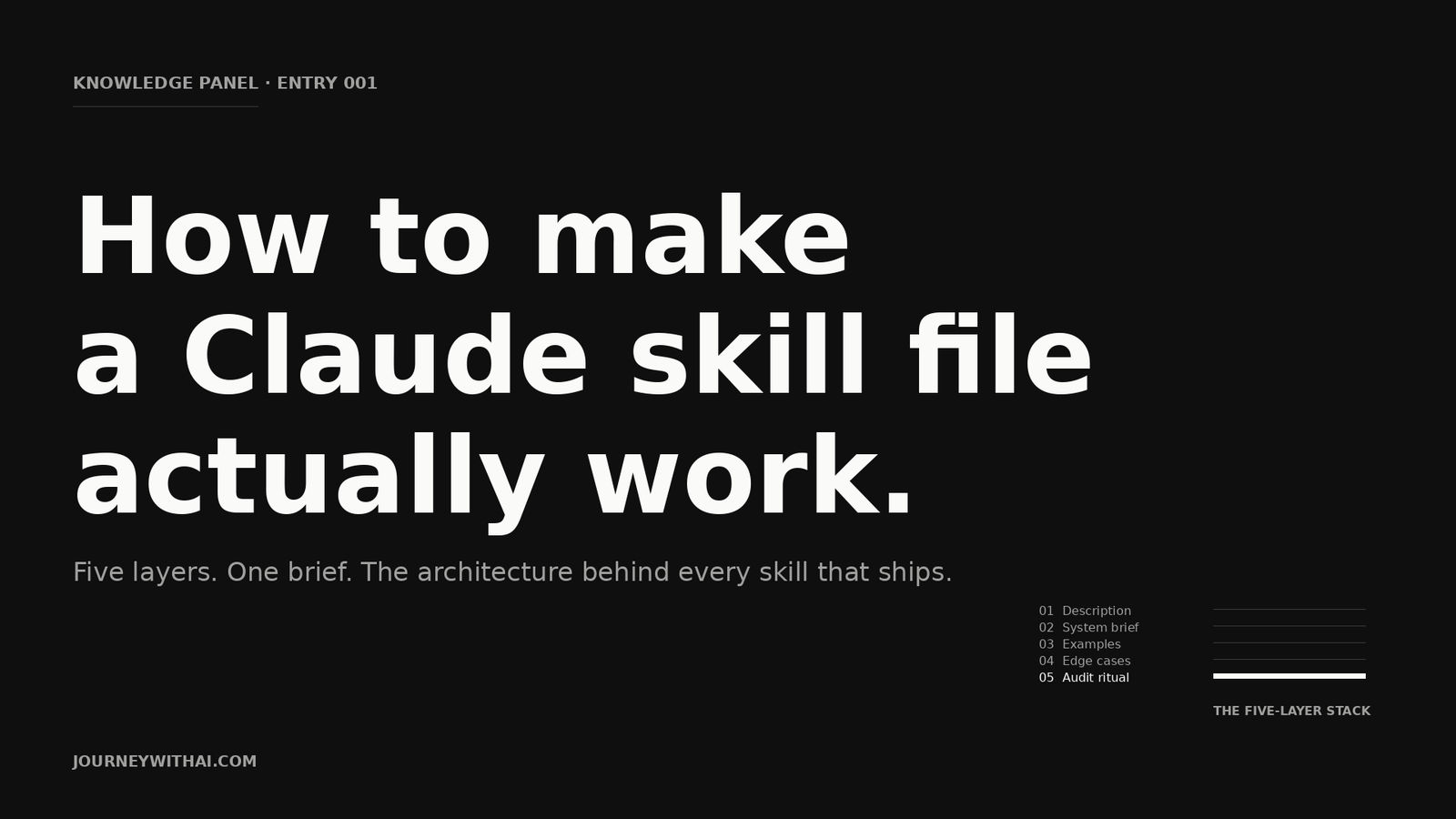
Most Claude skill files don’t fail at the prompt. They fail at the description.
A skill that never triggers is a skill that doesn’t exist. A skill that triggers but produces generic output isn’t broken. It’s underbuilt.
We’ve shipped skill files into working businesses for a year. The same five layer pattern holds up every time. Get the layers right and the model behaves like a senior operator. Skip a layer and you get the slop you came to escape.
This is the architecture. It works because each layer answers a different question the model is silently asking before it writes a single word.
What a skill file actually is
A skill file is not a prompt. A prompt is a one shot ask. A skill file is a brief. A permanent capability you install into Claude. It fires automatically whenever the work matches it.
Think of the way a good agency thinks of a creative brief. The brief explains the situation. The audience. The voice. The do’s and don’ts. The examples of work that already nailed it.
You don’t write a new brief for every Instagram post. You write one solid brief and let it work.
Skill files are that brief. Written down. Machine readable.
The mental shift matters. People who treat Claude like a search engine write better prompts. People who treat Claude like a junior they’re onboarding write better skills.
The five layer stack
Every skill file we’ve shipped follows the same five layer architecture. LinkedIn post writers. Brand strategy auditors. Proposal generators. Same five layers. Same order. The model reads top down.
1. The description. Your trigger.
The description is the most important field in the entire file. Almost everyone underwrites it.
This is what Claude reads to decide whether to fire your skill. Vague description, the skill stays dormant. Specific description, the skill turns on at exactly the right moment.
A weak description. “This skill helps with marketing.”
A working description. “Use this skill when the user asks to write a LinkedIn post, draft LinkedIn copy, or rewrite something to sound on-brand for LinkedIn. Trigger on phrases like ‘write a post’, ‘LinkedIn copy’, ‘sounds AI-generated’, or any request where a long form text post needs to land with an operator’s voice.”
The second names the surface. The verbs. The trigger phrases a real user would type. The quality bar. Claude doesn’t need to guess. It triggers.
The rule. If you can’t describe what activates the skill in one paragraph using the user’s actual words, the skill won’t fire when you need it.
2. The system brief. The standing instructions.
Once the skill triggers, the system brief takes over. This is where most people dump a wishlist. “Be helpful, be on brand, don’t be too salesy, use bullet points sometimes, sound human.”
That’s not a brief. That’s anxiety in prose.
A working system brief answers four questions. In order.
What is this skill for. One sentence. What outcome are we trying to produce.
What is the house style. Three to five concrete rules. Sentence length. Vocabulary preferences. Banned phrases. Signature moves. Specifics, not adjectives.
What is the frame. Where in a process does this live. What comes before. What comes after.
What is the do not do list. The three things that, if they appear in the output, mean the skill failed.
Briefs longer than 800 words start to dilute. Claude weighs everything you write. Every line that isn’t load bearing is competing with the lines that are.
3. Examples. The calibration layer.
This is the layer most skill files skip. Skipping it is the difference between a skill that produces beige and a skill that produces work.
Examples calibrate the model. Tone. Structure. Decision making. Not by being copied. By being referenced. When the skill fires, Claude scans the examples to figure out what good looks like for this brand, on this surface, at this quality bar.
Three rules.
Examples have to be real. Not made up to demonstrate a point. The model can tell the difference. So can the reader. Anonymise sources. Preserve the work.
Show the whole artefact. Not a fragment. A LinkedIn post example needs the hook, the body, and the close. A proposal example needs the problem, the solution, and the price.
Two examples is the floor. Three is the sweet spot. More than five and you flatten the signal. The model stops weighing them and starts averaging them.
The book has a chapter on building example libraries from real client work. Your best examples are already on your hard drive. You just need to find them and strip the names.
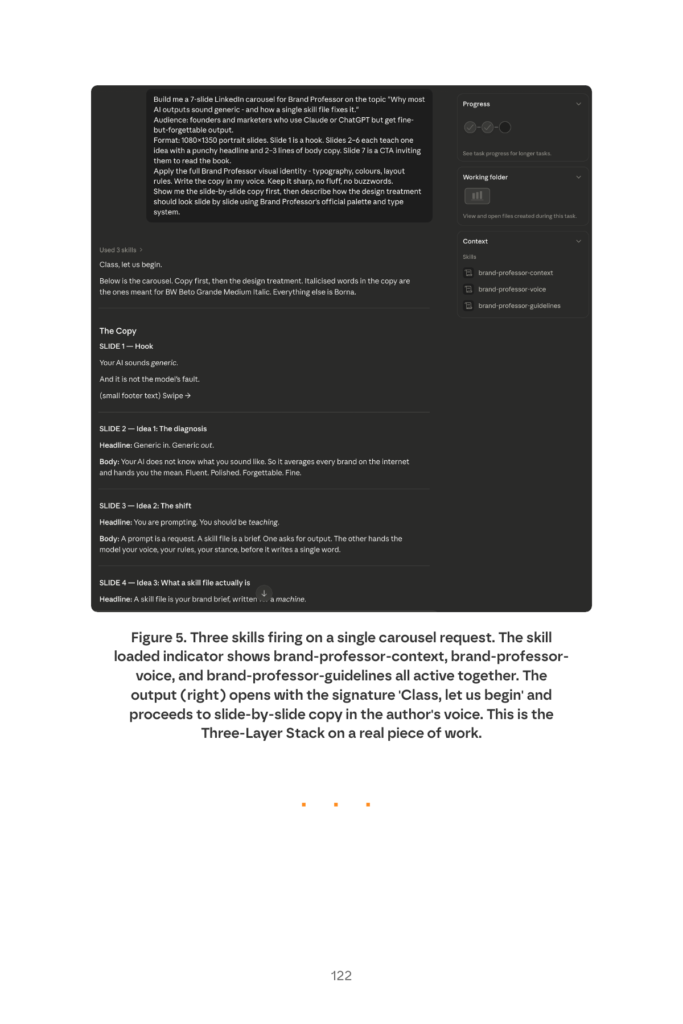
Show Image Page 122 from the book. When the description, brief, and examples are aligned, multiple skills fire on a single request and stack their guidance. This is what working skills look like in production.
4. Edge cases. The boundary conditions.
Edge cases are where junior skill files give up. A working skill file lists the situations where the default behaviour breaks. It tells Claude what to do instead.
What happens when the user provides too little context. Ask one specific clarifying question. Not five.
What happens when the request is almost in scope but not quite. Name the gap. Suggest a closer fit. Don’t pretend.
What happens when the output would violate the do not do list. Refuse cleanly. Explain why. Offer the closest valid alternative.
Edge cases earn their place by failing first. You don’t pre write them from imagination. You watch the skill in production for a few weeks. You collect the moments it produced something off. You write an edge case for each one. This turns failure into firmware.
5. The audit ritual. The version control layer.
A skill file is software. It needs the same hygiene any production system needs. Dated changelog. Version number. A record of what changed and why.
We treat every skill like a living document. Description gets refined, bump the version. Example gets replaced, note it. Edge case gets added, explain the failure mode that prompted it.
The audit ritual sounds tedious. It’s the difference between a skill that improves over time and a skill that decays. Without it, you can’t tell whether a recent change made things better or worse. Your team has no way to roll back.
This is why most skill files in the wild plateau after the first version. The author shipped it once. Got pulled into other work. Never touched it again. Skills that compound are skills that get audited.
A 30 minute test you can run today
If you have an existing skill file and want to know whether it’s working, run this test.
Open Claude. Type the trigger phrase you’d expect a real user to type. If the skill fires, your description is doing its job. If it doesn’t, the description is too vague. Fix Layer 1.
Read the output. Does it sound like your business or generic AI. Generic. Your examples are missing or wrong. Fix Layer 3.
Read the output again. Does it follow your house style. Sentence length, voice, signature moves. Not yet. The system brief is too soft. Fix Layer 2.
Try a slightly off brief request. Does the skill name the gap and propose an alternative, or does it forge ahead and produce something wrong. It forges ahead. You’re missing edge cases. Fix Layer 4.
Check the file header. Version number. Last modified date. Changelog. Missing? You have no audit trail. Fix Layer 5.
Most skills fail two of the five tests. Fix the two that fail and you get a 60% jump in output quality without changing a word of the underlying brief.
What this gets you
A skill file with all five layers in place stops producing slop. It triggers when it should. Behaves consistently across requests. Sounds like the brand it was built for. Refuses cleanly when the request is wrong for it. Gets better every month as edge cases are added.
That’s the architecture. The work is in the writing of each layer. Not the framework itself. The framework just tells you what to write. And in what order.
If you want the long version, the book covers all 28 chapters. If you want to skip the writing and install briefs we’ve already built, the catalogue does that.
Either way. Stop writing prompts. Start writing briefs.